
Sandbox AI Studio
AI photo edits, presets & community playground
Every AI photo trend — made by real people.
Sandbox AI Studio is a free iPhone app for AI photo edits. Browse a community playground of one-tap presets — anime, cinematic, figurine, vintage — apply any look in a tap, and save your own. No prompt writing. No account required to start.
Download on the App StoreWhat it is
A free AI photo editor built around a community of presets
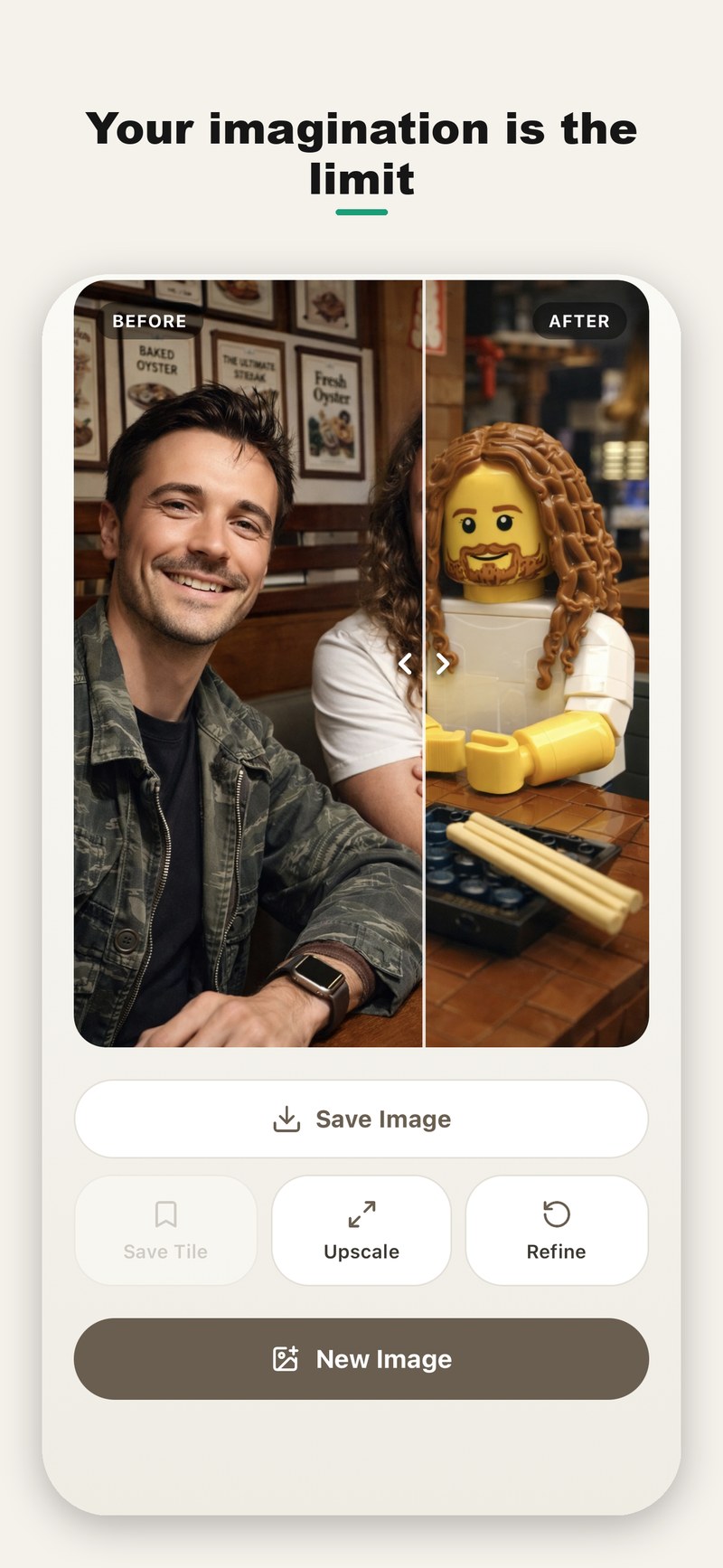
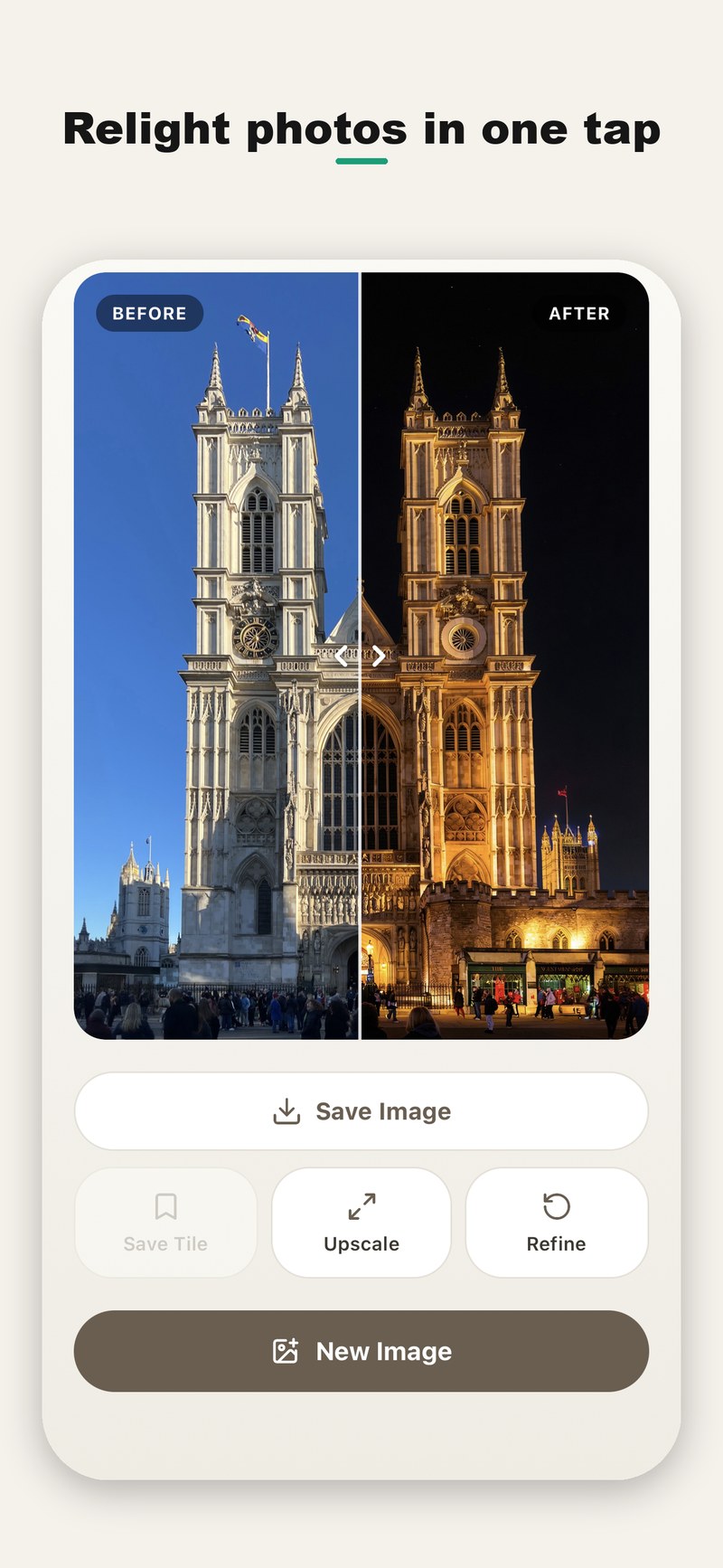
Sandbox AI Studio turns any photo into something new — without the blank prompt box. Instead of typing instructions, you browse a community playground of ready-made "presets," each one a saved AI look created by a real user, and apply it to your photo with a single tap. Every edit runs through leading generative image models, so a portrait can become a collectible figurine, a selfie can turn into anime, a snapshot can get a cinematic film grade, and a daytime scene can be relit to night — in seconds. Save the looks you love as your own presets, upscale and refine the results, and share them. It's free to start, with no account required.
See it
One photo in. A whole new look out.
The difference
A community playground of AI presets
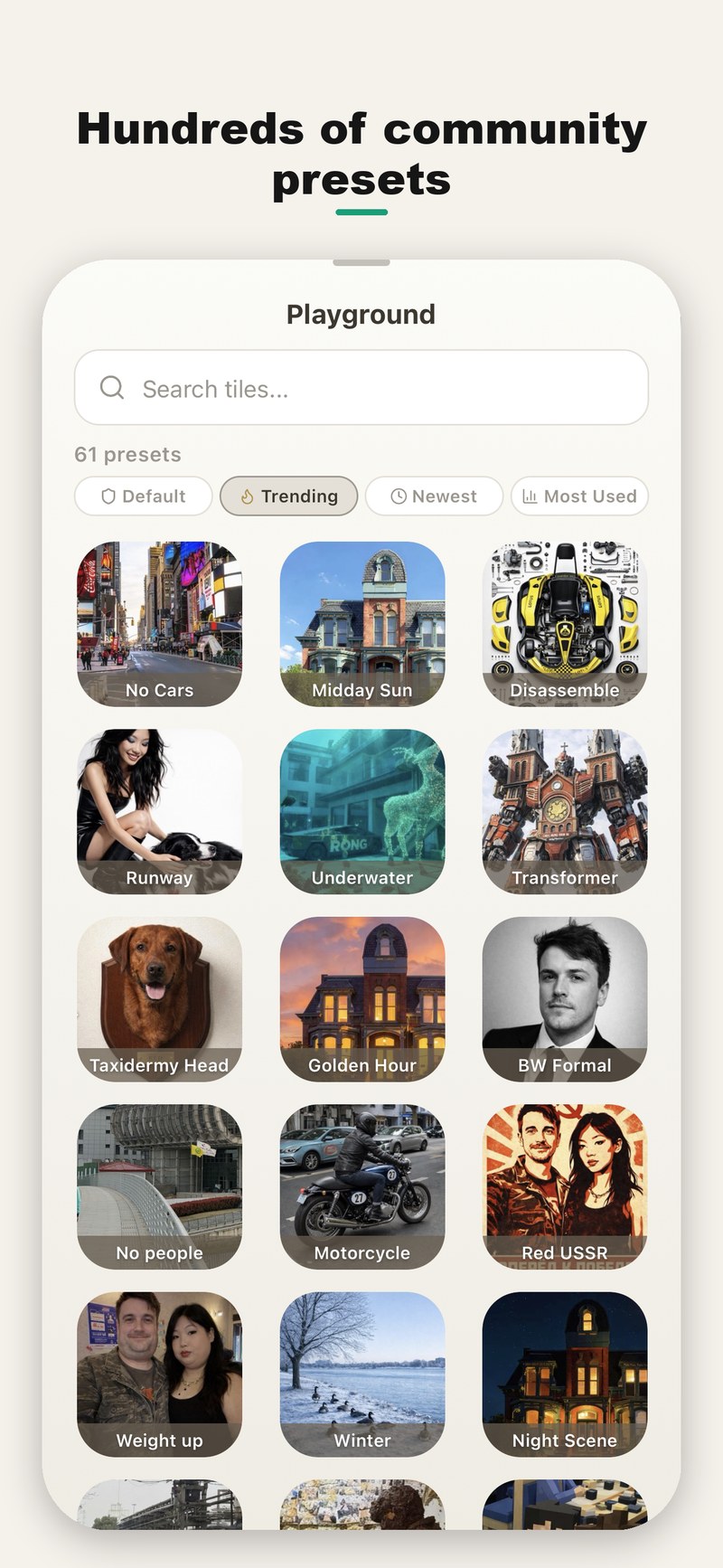
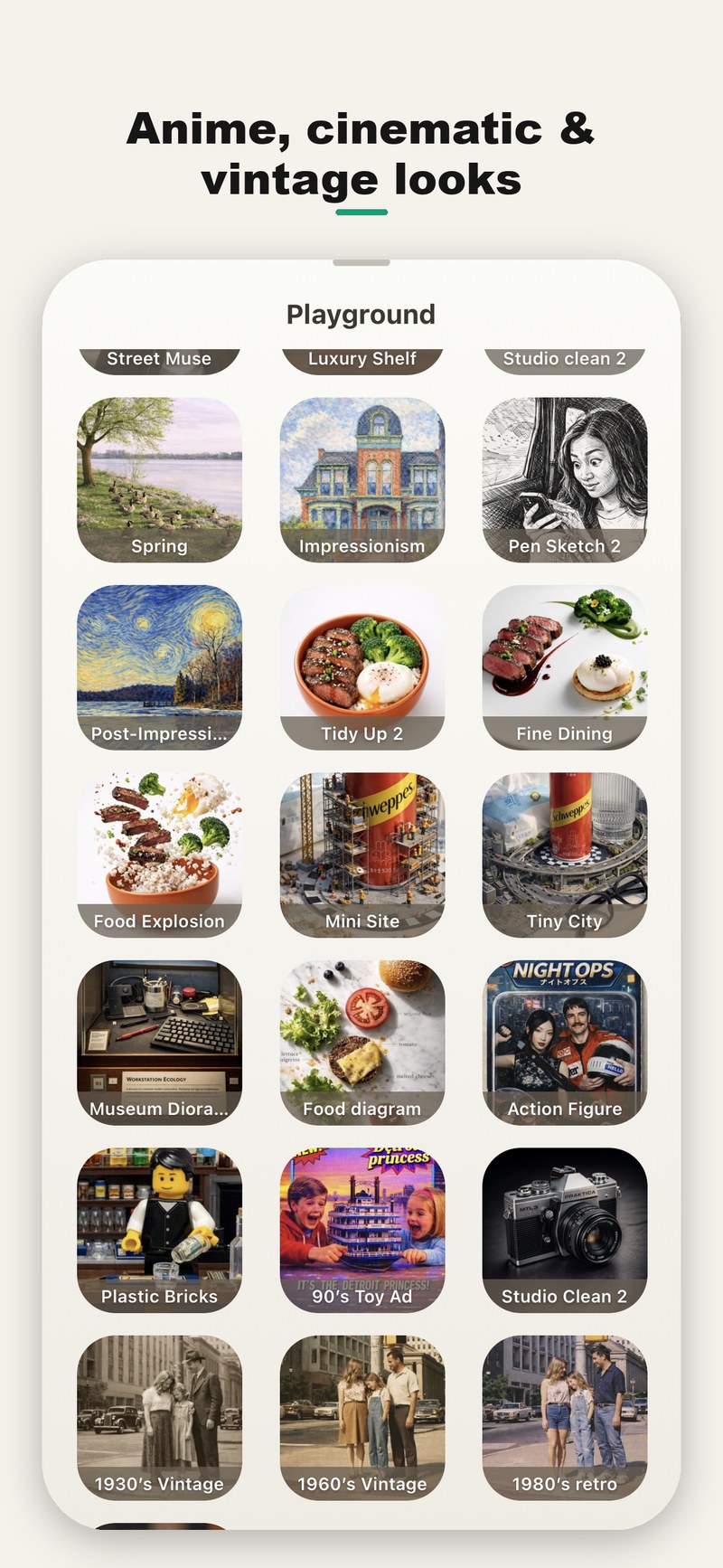
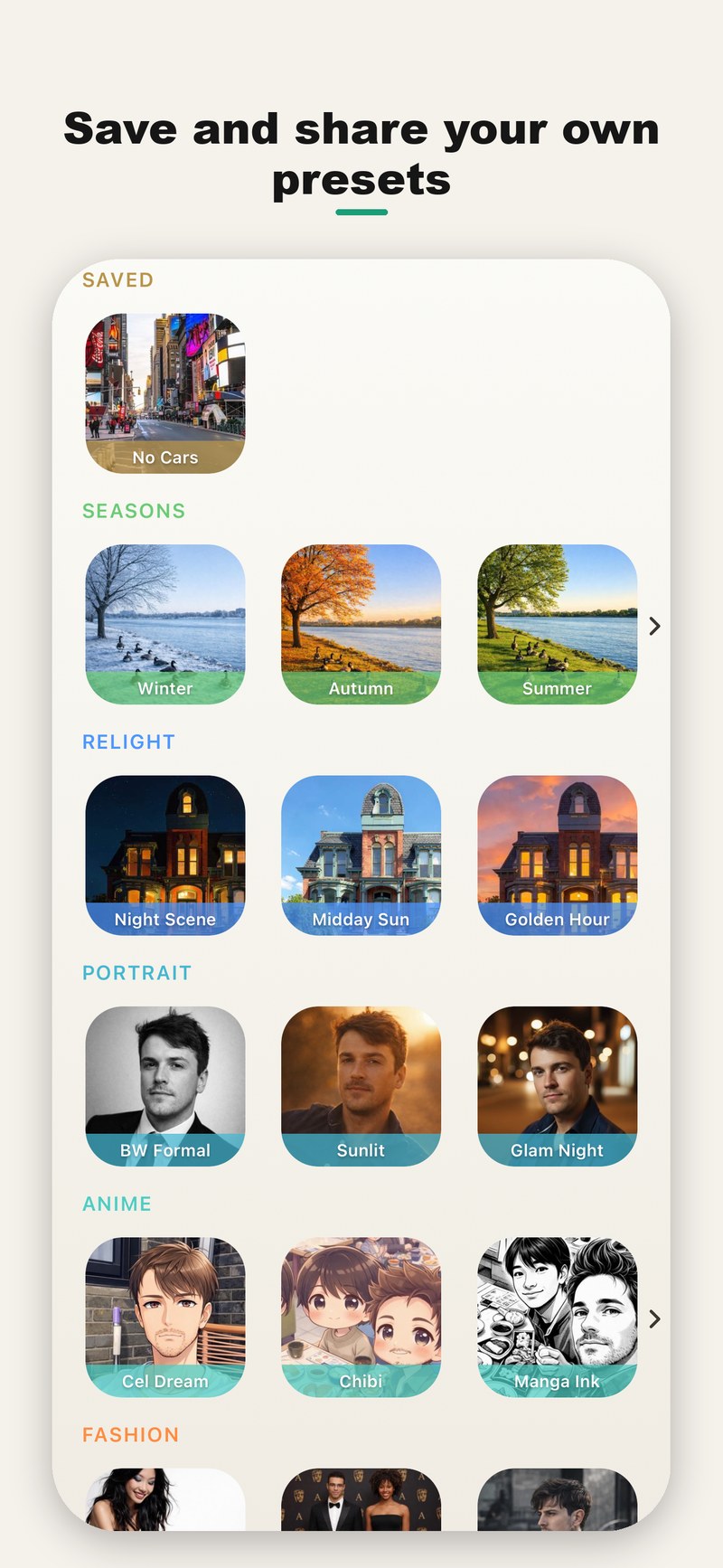
Other AI photo apps give you a fixed menu the company chose. Sandbox gives you a living library the community keeps stocked — so whatever look is trending, someone has already made it into a one-tap preset. Sort by Trending, Newest and Most Used, apply any preset instantly, and publish your own for others to try.
How it works
Three taps, no prompt engineering
Pick a look
Browse the playground or your saved presets and choose any style — anime, cinematic, figurine, vintage and more.
Tap to apply
Add your photo and tap once. The AI restyles it in seconds. Upscale or refine if you want to go further.
Save & share
Save the result, keep the look as your own reusable preset, and share it — or publish it to the community.
Popular looks
Ride every trend — one tap each
Figurine & toy
Turn portraits into collectible action figures, LEGO-style minifigs and boxed toys.
Anime & manga
Cel-shaded anime, chibi and inked manga styles from a single selfie.
Cinematic & film
Movie-grade color, golden-hour light and dramatic film looks.
Vintage & retro
1930s, 1960s and 80s eras, retro toy ads and old-photo restyles.
Seasons & relight
Turn summer to winter, day to night, or drop a golden-hour glow.
Portrait & studio
Clean studio portraits, black-and-white and glamour lighting.
Features
Made to create fast
Community presets
Discover and apply looks made by real users — and publish your own.
Save your signature looks
Turn any edit into a reusable preset that's always one tap away.
Leading generative models
Powerful, photorealistic and stylized edits from top image models.
Upscale & polish
Enhance resolution and fine-tune results before you save.
No account required
Start with 10 free edits. Sign in with Apple later to sync credits and presets.
Arrange your home screen
Pin the edits you use most and build a studio that fits your workflow.
FAQ
Questions, answered
What is Sandbox AI Studio?
Sandbox AI Studio is a free iPhone app for AI photo editing. Instead of writing prompts, you browse a community playground of ready-made presets — each a saved AI look made by a real user — and apply it to your photo with one tap. You can restyle photos into anime, cinematic, figurine, vintage and hundreds of other looks, and save your own presets.
Is it free?
Yes. It's free to download with 10 free AI edits and no account required. Optional Play, Media and Pro subscriptions add 50 to 500 edits per month, billed monthly or yearly, and can be cancelled anytime.
Do I need an account?
No — you can start editing immediately with no sign-up. You can optionally sign in with Apple later to keep your credits and saved presets across devices.
What is the community playground?
A shared, searchable library of AI photo presets made by the community. Sort by Trending, Newest and Most Used, apply any preset in one tap, and publish your own presets for others to try.
What styles can I create?
Popular looks include anime and manga, collectible figurine and toy styles, cinematic and film grades, vintage and retro eras, seasonal changes, day-to-night relighting and studio portraits — plus hundreds of community-made presets.
Does it work on Android or iPad?
Sandbox AI Studio is currently an iPhone app on the App Store. It runs on iPad in iPhone-compatibility mode.
How do I cancel a subscription?
Subscriptions are managed through your Apple ID: open Settings, tap your name, tap Subscriptions, choose Sandbox AI Studio and cancel. You keep access until the end of the billing period.
Turn your next photo into something new.
Free to start · 10 edits · no account required
Download on the App StoreLegal & documents
Support & contact
Questions, feedback, or account/data requests — visit support or email support@vlodkodesign.com.