Guide
The keystone effect, explained — and how to fix converging verticals on iPhone
Why buildings lean backwards in your photos, why every correction tool crops your corners, and how to straighten a shot while keeping the whole frame.
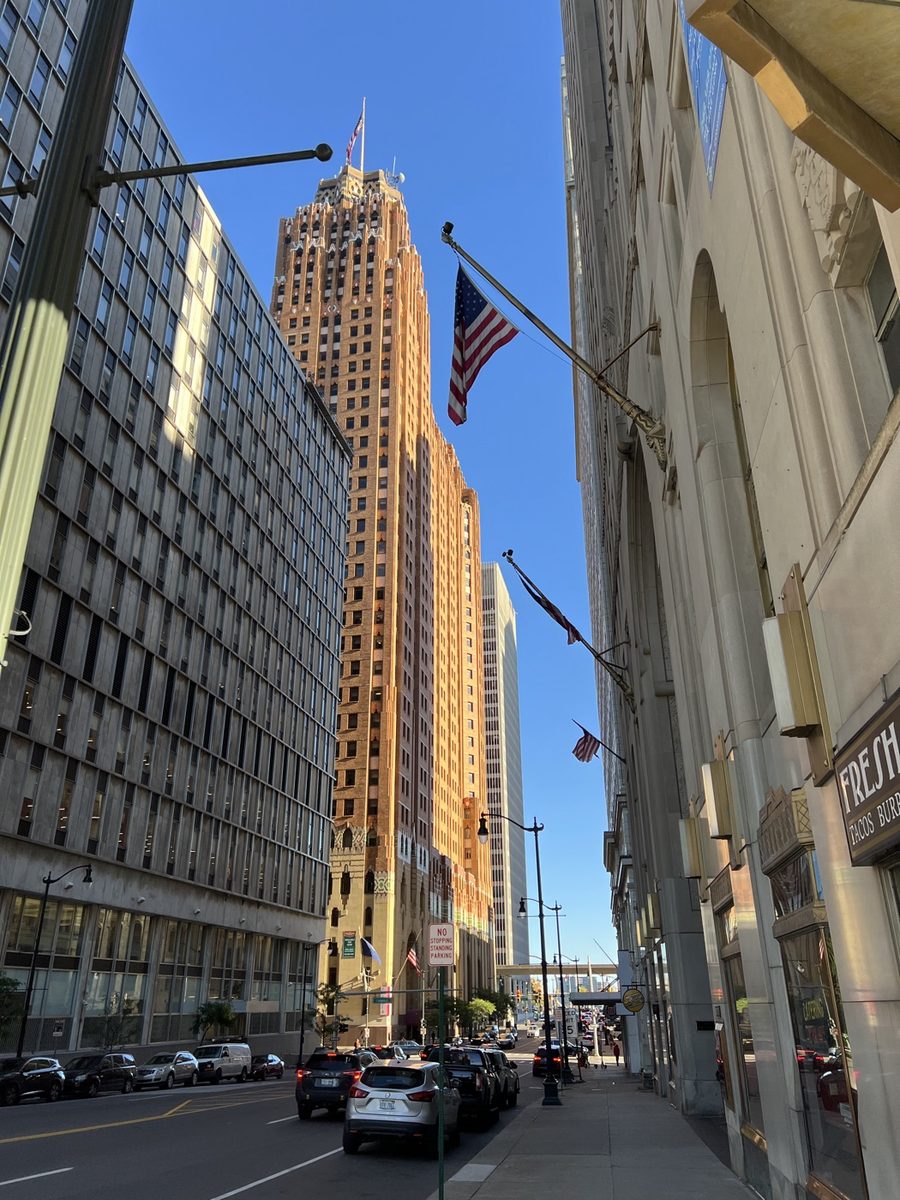
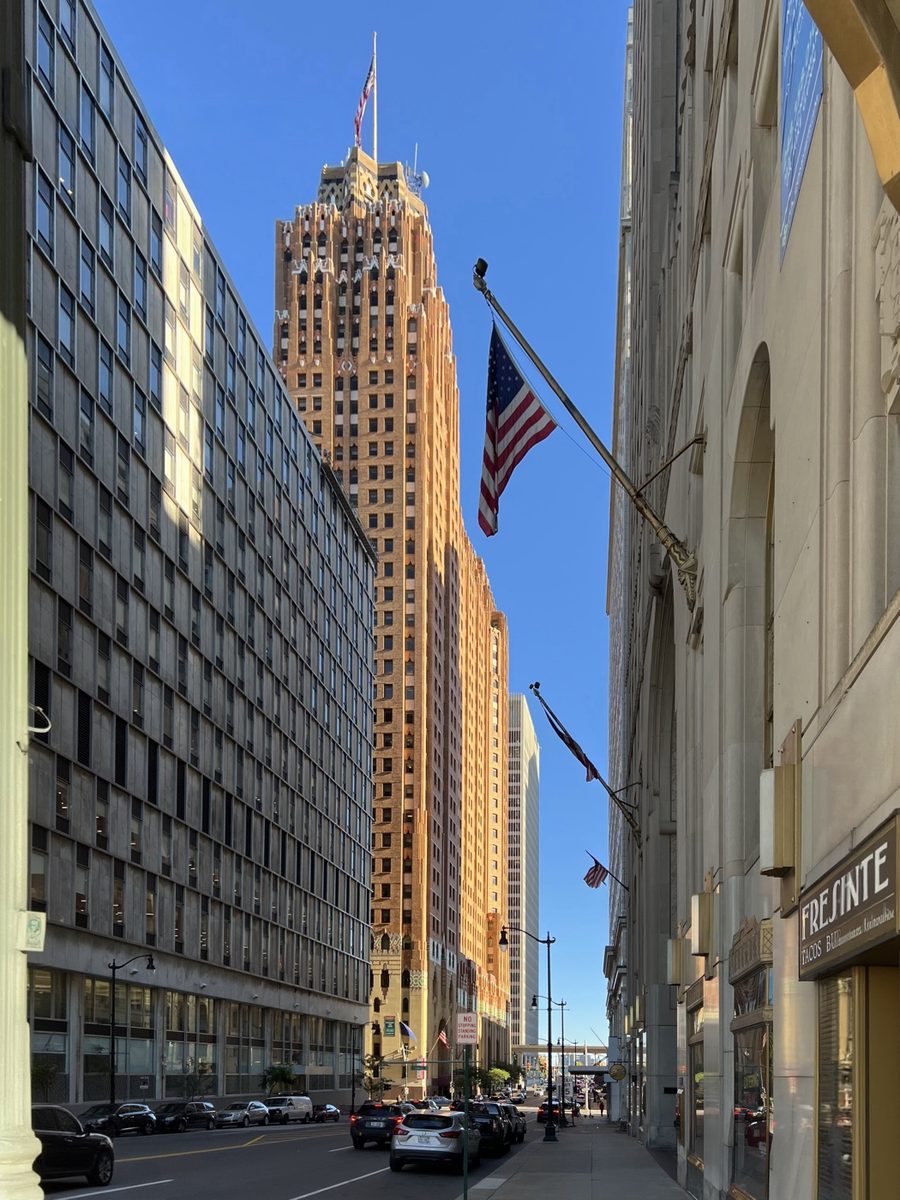
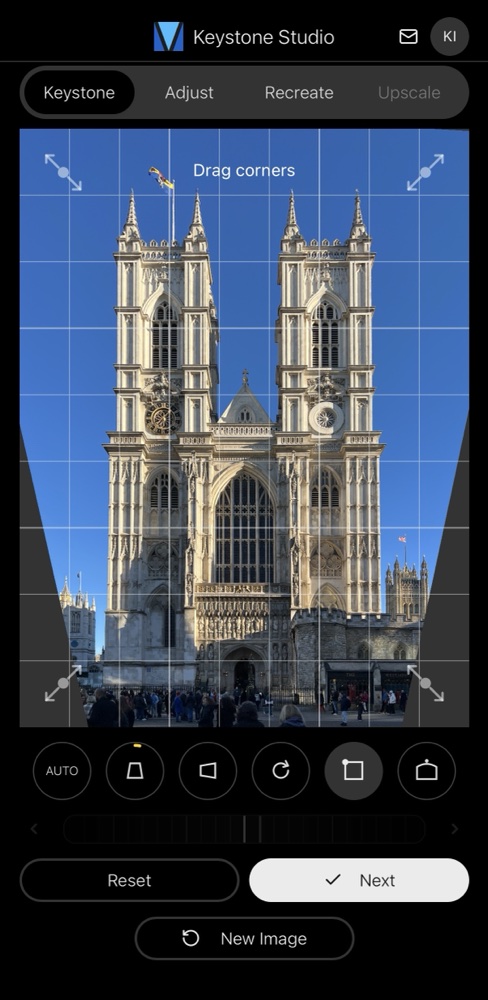
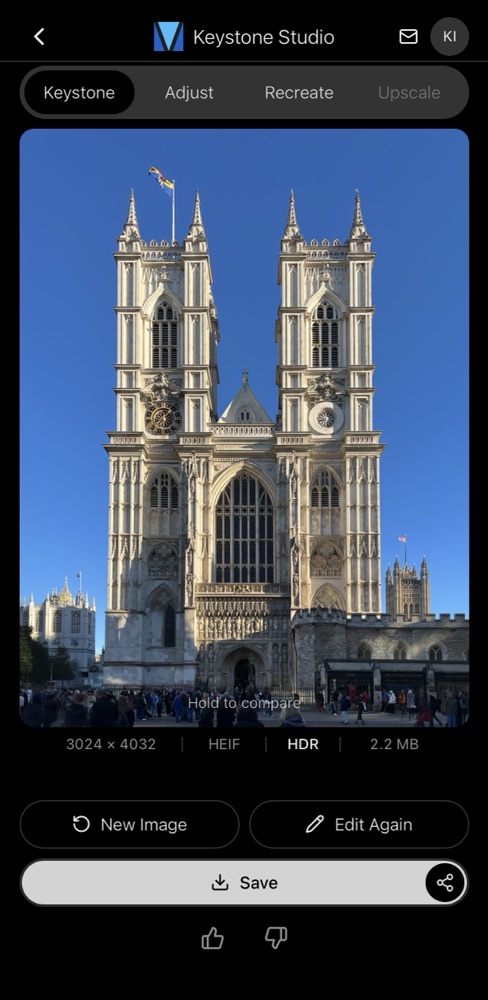
A typical street-level shot. Left: converging verticals as the camera tilts up. Right: corrected in Keystone Photo Studio, with the corners filled by AI instead of cropped away.
What is the keystone effect?
The keystone effect is the perspective distortion you get when a camera is tilted relative to a flat subject. Photograph a building from the street and tilt the phone up to fit it in, and the vertical edges stop being parallel: they converge toward a vanishing point above the frame, so the building appears to lean backwards and taper toward the top. The name comes from the shape — a rectangle becomes a trapezoid, like the wedge-shaped keystone at the top of an arch.
Photographers call the same thing converging verticals or converging lines; in architecture and real-estate photography it is one of the most common flaws in an otherwise good shot. It is not a lens defect and it is not the same as barrel or fisheye distortion — a perfectly rectilinear lens still produces it. It is pure geometry.
Why it happens
When the sensor is exactly parallel to the building's façade, vertical lines stay vertical. The moment you tilt the camera upward, the top of the building is farther from the lens than the bottom. Farther things render smaller, so the top of the façade is drawn narrower than the base — and the walls lean in.
The obvious fix is to keep the camera level, but then a tall building simply does not fit. You either step far back, shoot from a higher vantage point, or accept the tilt and correct the perspective afterwards. For a phone in your hand, the last option is almost always the practical one.
Tilt-shift lens vs. software keystone correction
The classic optical answer is a tilt-shift lens (a perspective-control lens). You keep the camera level and physically shift the lens upward, so the building fits in the frame with its verticals still parallel. It fixes the problem at capture time and with no resampling — which is why architecture specialists use them.
The catch: tilt-shift lenses are expensive, manual-focus, and only fit interchangeable-lens cameras. There is no tilt-shift lens for an iPhone. (The "tilt" half of a tilt-shift lens, incidentally, is a different trick entirely — it angles the plane of focus, which is what produces the miniature-model look that filters imitate.)
Software keystone correction fixes the same geometric distortion after the fact, on any photo. It warps the image so the converging lines become parallel again. Done well, on a full-resolution file, the result is indistinguishable from a level shot — with one well-known side effect, covered next.
How correction works — and the corner problem
Straightening a photo means stretching the top of the frame wider (or squeezing the bottom narrower) until the verticals are parallel. Geometrically, the rectangular image becomes a trapezoid. That leaves empty, wedge-shaped gaps at the corners where there was never any picture data.
Almost every editor — including the iPhone's built-in Photos app — deals with those gaps the same way: it crops them off. You get straight verticals, but you lose the edges of your composition and a chunk of resolution. The wider the correction, the more of the frame disappears.
Keystone Photo Studio takes a different route. It detects the converging lines and straightens them, then uses generative AI to fill the empty corners with plausible sky, façade, or ground — at the photo's native resolution — so you keep the full original frame:
Before and after
Real iPhone photos, corrected in Keystone Photo Studio. No cropping — the corners in every "after" were filled by AI.
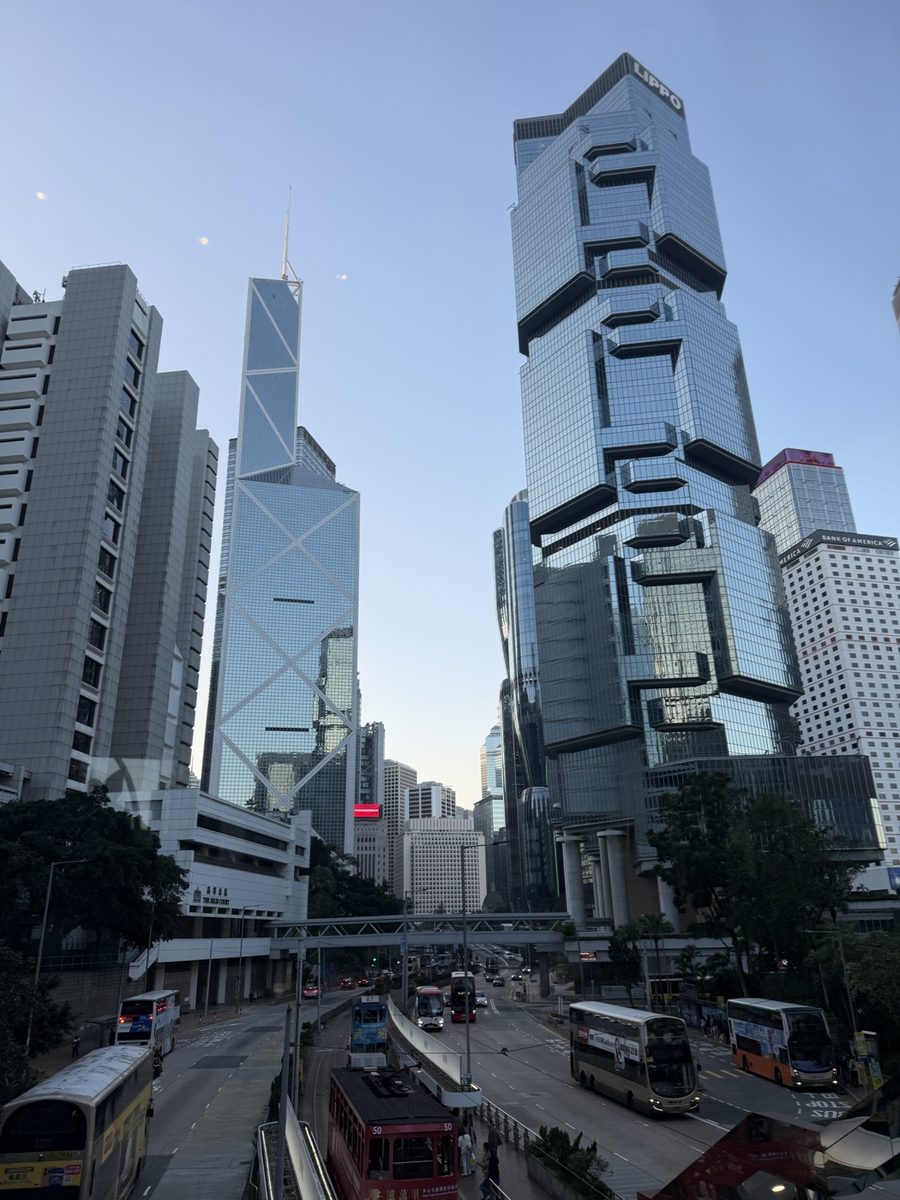
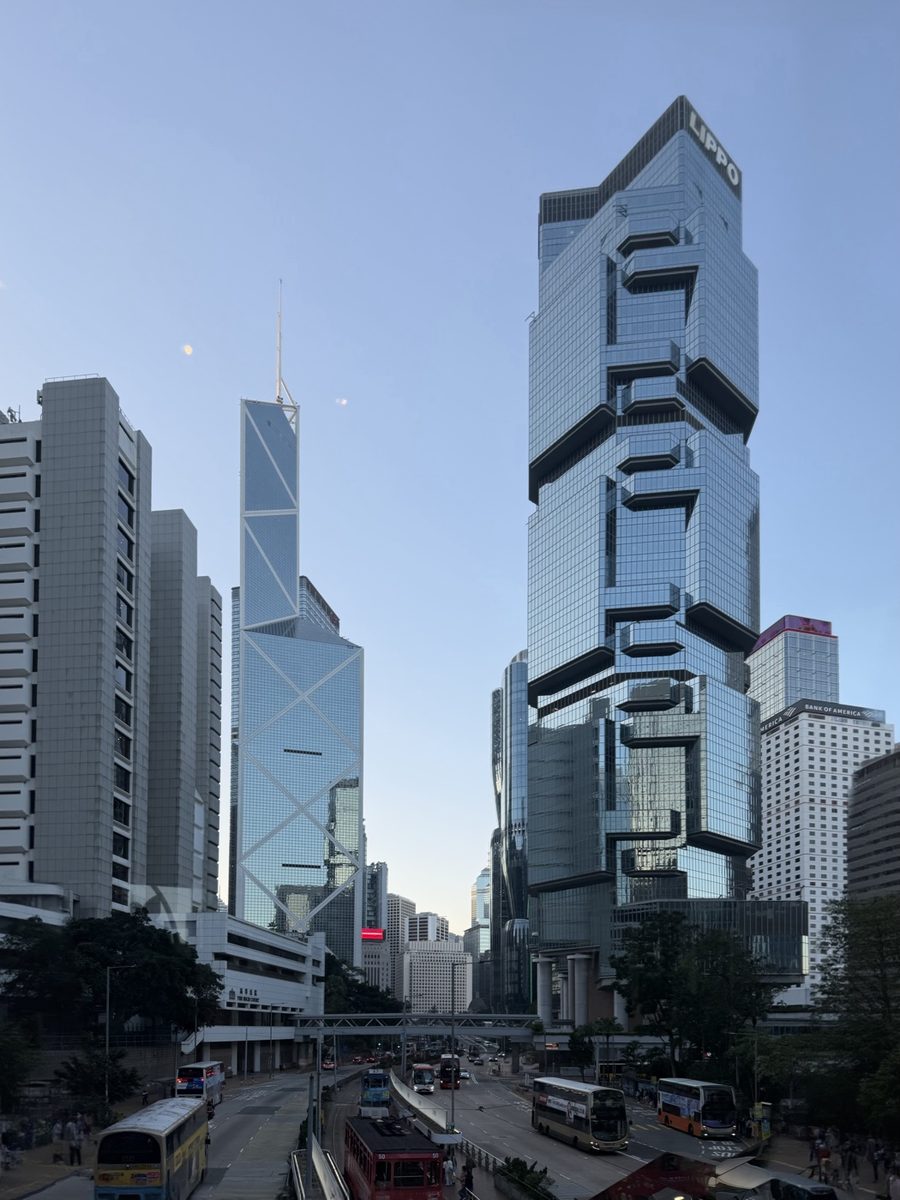
Hong Kong. Tall towers exaggerate the effect — the lean is obvious even with a small upward tilt.
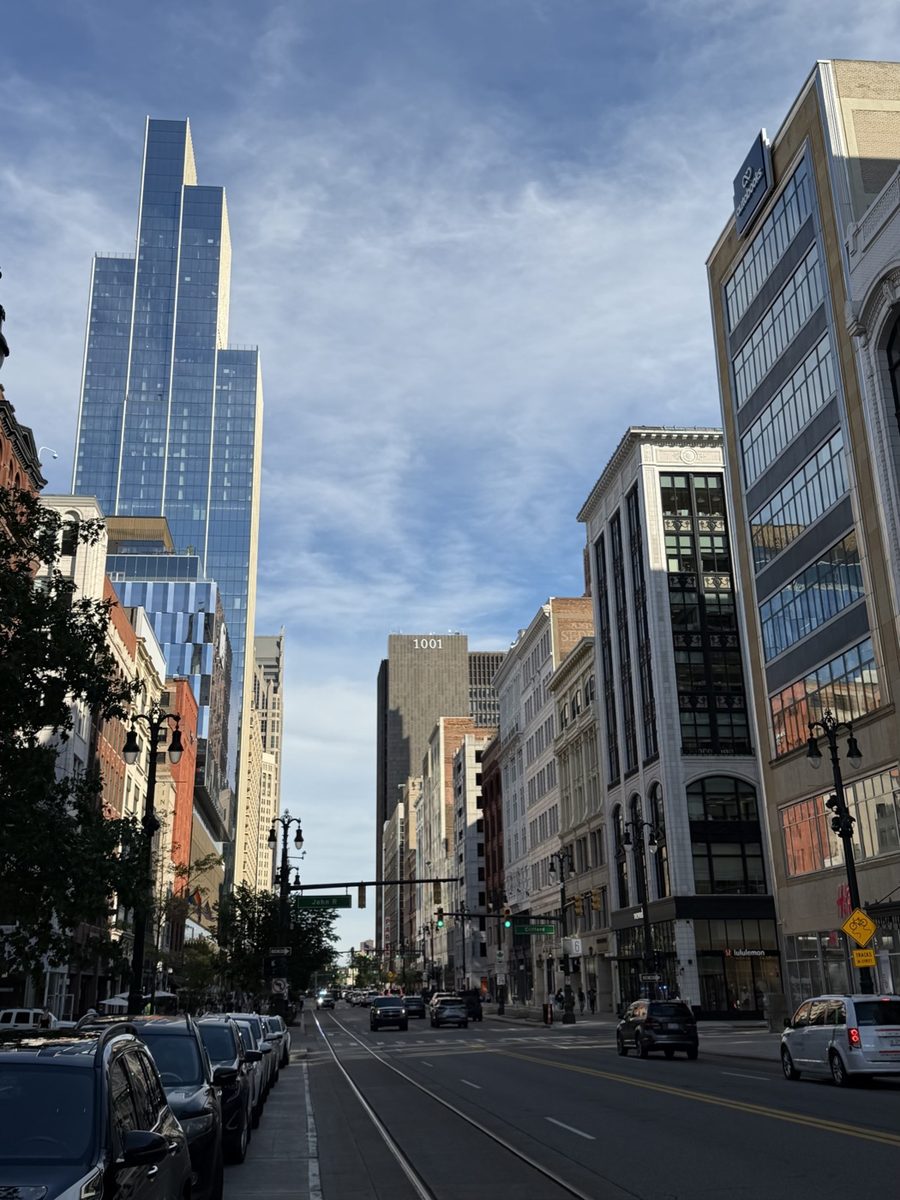
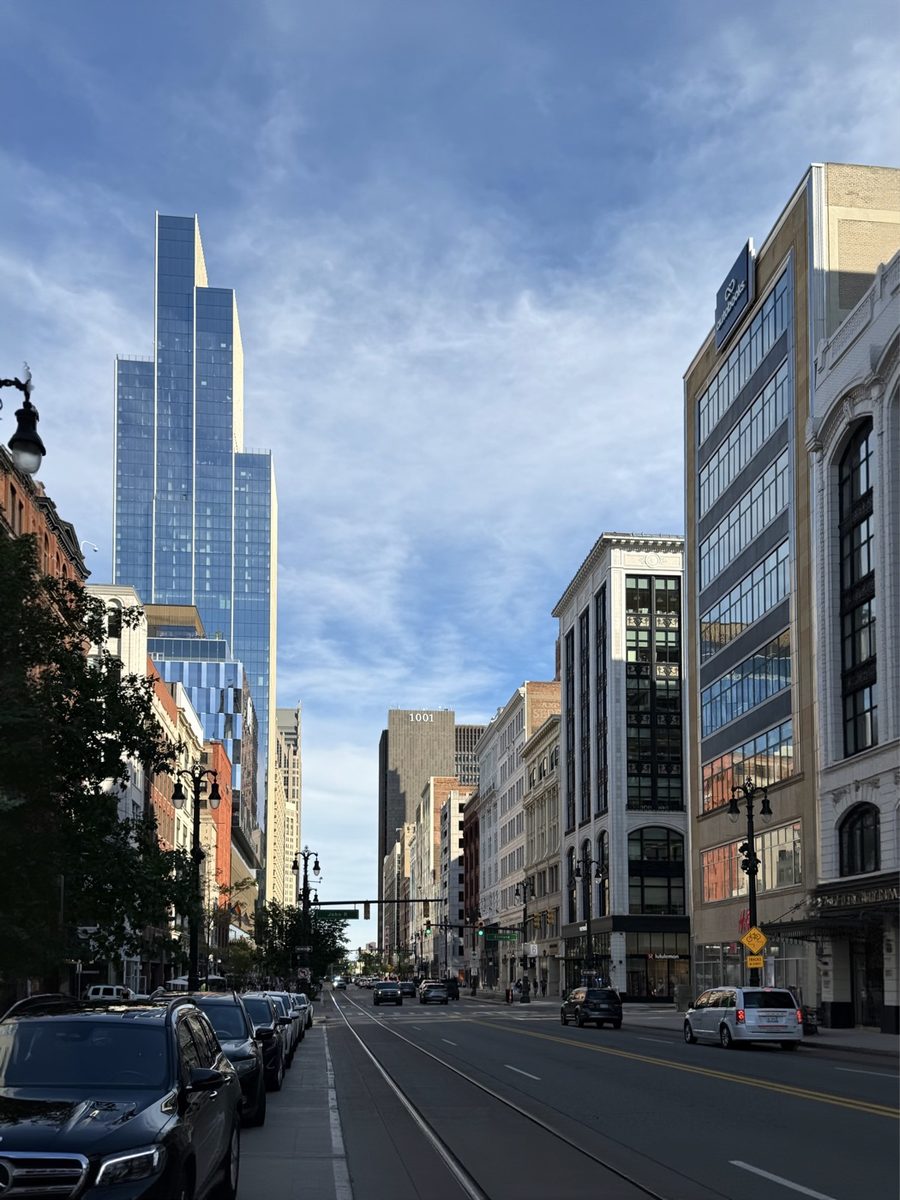
A street scene. Correction straightens every building at once, not just the subject.
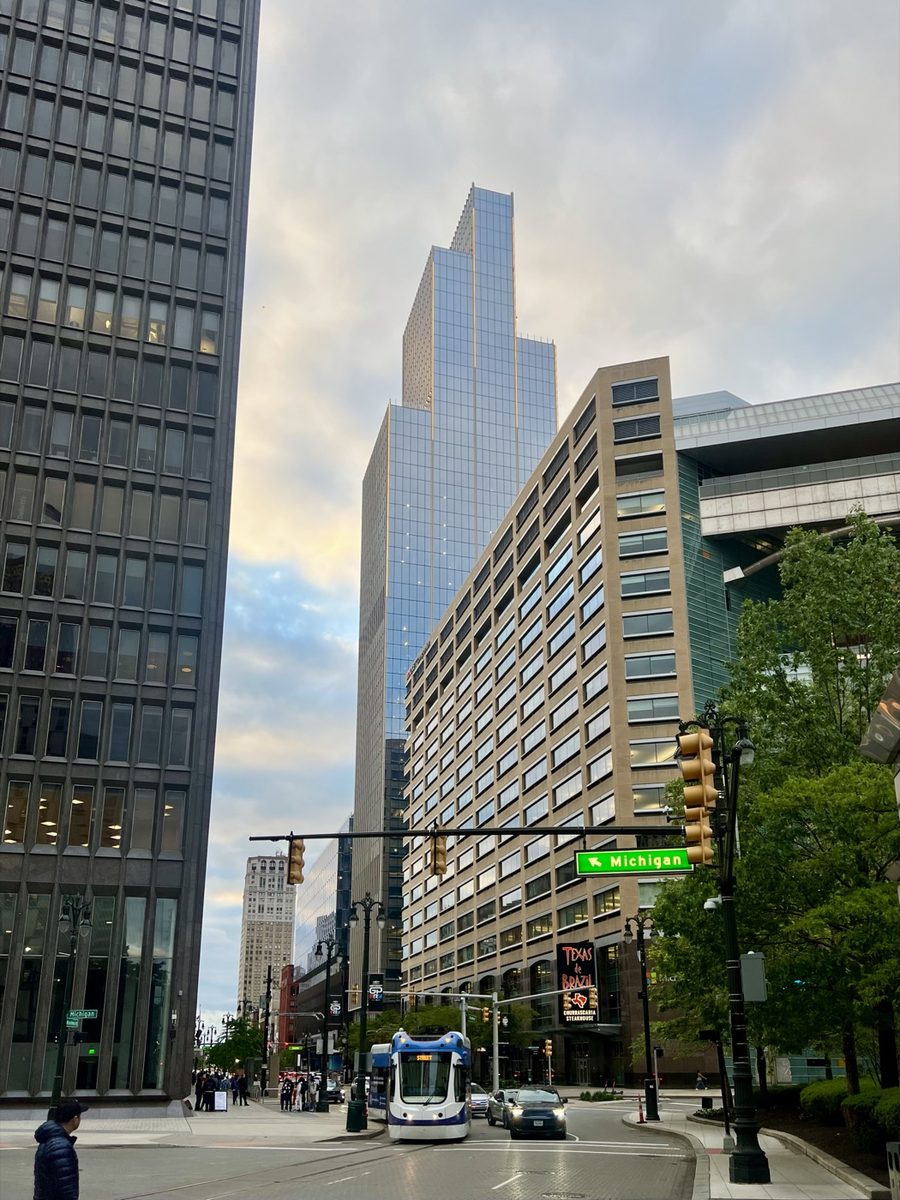
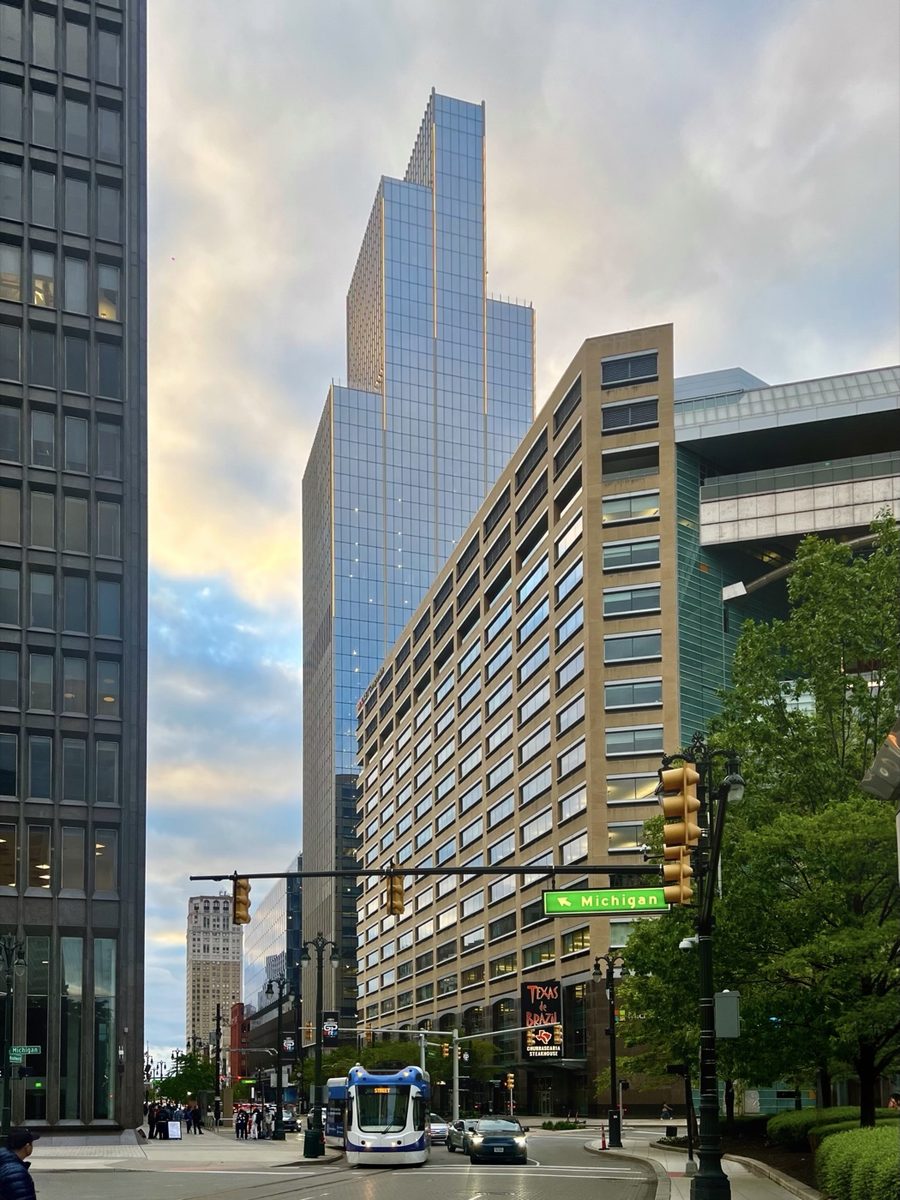
Mixed heights and distances. The foreground and background buildings are corrected consistently.
How to fix the keystone effect on iPhone
Open the photo
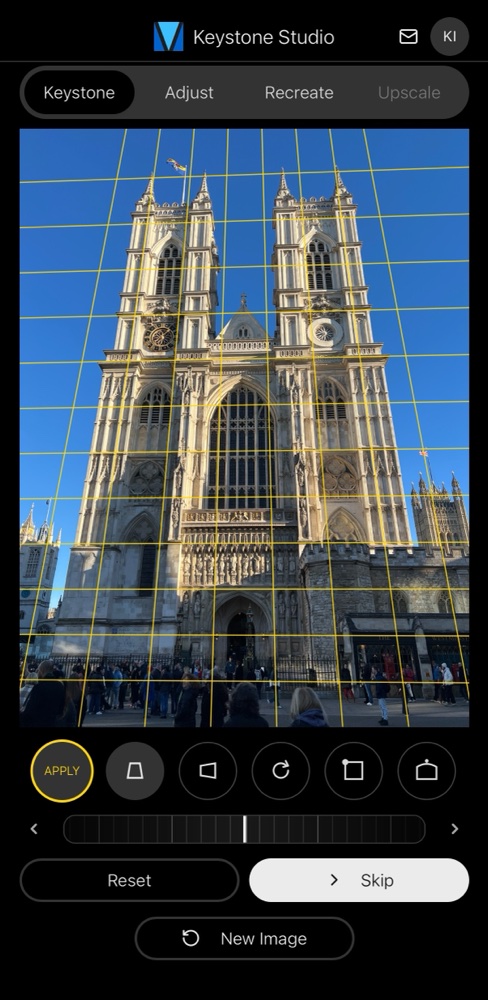
Add it in Keystone Photo Studio. Auto-detect finds the converging lines; or drag the corners and use the keystone, rotation and bow controls by hand.
Fill the corners
Apply the correction. Generative AI fills the empty corners at full resolution, so nothing gets cropped.
Save at full quality
Export as HEIF at native resolution with Display P3 color and native HDR preserved — the same size and format as the original.
Frequently asked questions
What is the keystone effect in photography?
The perspective distortion you get when the camera is tilted relative to a flat subject, most often a building. Parallel vertical lines converge toward a vanishing point, so the building looks like it is leaning backwards and its walls taper like a keystone or trapezoid. It is also called converging verticals or converging lines.
What causes converging verticals?
Tilting the camera upward. Once the sensor is no longer parallel to the building's face, the top of the building is farther from the lens than the bottom, so it is rendered smaller and the vertical edges lean inward. Keeping the camera level avoids it — but then the building usually won't fit in the frame.
Do I need a tilt-shift lens to fix it?
No. A tilt-shift (perspective-control) lens fixes it optically at capture by shifting the lens while the camera stays level, but it is expensive and only fits interchangeable-lens cameras. Software keystone correction fixes the same distortion after the fact on any photo, including iPhone photos.
Why does keystone correction crop my photo?
Straightening warps the rectangular image into a trapezoid, which leaves empty wedge-shaped gaps at the corners. Most editors crop those gaps away, so you lose part of the frame and some resolution. Keystone Photo Studio generates only those empty corners. The rest of the photo is your original pixels — untouched, not an AI-regenerated copy — so the whole frame is kept.
Can the iPhone Photos app fix the keystone effect?
The built-in Photos app has a basic vertical and horizontal perspective slider inside the crop tool, but it crops the corners to hide the gaps and has no automatic line detection. Keystone Photo Studio auto-detects the converging lines, lets you fine-tune the corners, and uses AI to fill the corners instead of cropping — at full resolution, with HDR preserved.
Does keystone correction reduce image quality?
Any perspective warp resamples pixels, so the tool matters. Keystone Photo Studio works at your photo's native resolution, keeps Display P3 color and the native HDR gain map, and saves as full-quality HEIF — the corrected photo is the same size and format as the original. Even the metadata is preserved: EXIF, capture date and location travel with the photo.